How to Find a Decision Maker’s Email Without Buying a Database
A four-step method that finds verified work emails from public sources: the company’s own site, its address pattern, a verification check and, only for the rest, a paid finder.
Key takeaways
- Most small companies name their leaders on their own site, and many publish at least one address that reveals their email pattern.
- A guessed address is worth nothing until it is verified: an unverified list is how sender reputations get burned.
- In our pilot, guessing plus verification proved 76% of addresses; adding a paid finder only for the rest raised that to 95%.
Table of contents
Why not just buy a list
Contact databases are the fast answer, and they are fine for large companies that everyone sells to. For small and mid-sized businesses they are thinner and older: people change roles, small teams rarely update profiles, and a record copied months ago may point to someone who left.
There is also a cost mismatch. You pay for thousands of records to use a few dozen. The method below works the other way round: start from the companies you actually want, find their people, and pay only for the addresses you cannot prove yourself.
Step 1: Find the people on the company’s own site
Team, about and leadership pages name founders and department heads, usually with titles and often with links to their LinkedIn profiles. The company site is the most current public source about who works there, because the company maintains it.
- Read the home page links, the sitemap and pages such as /team, /about, /leadership and /company.
- Keep the title as written: it tells you which team the person leads, which matters more than seniority alone.
- Keep the page each person came from, so every contact can be traced to a source.
See who could buy from you
Paste your website: in about two minutes you get your buyers, their decision makers with verified emails and a first email to each.
Step 2: Learn the company’s email pattern
Most companies use one scheme for everyone. If the site publishes even one personal address, such as jane@ on a contact page, you know the pattern for the whole team. Without one, start from the schemes that are most common for small US companies.
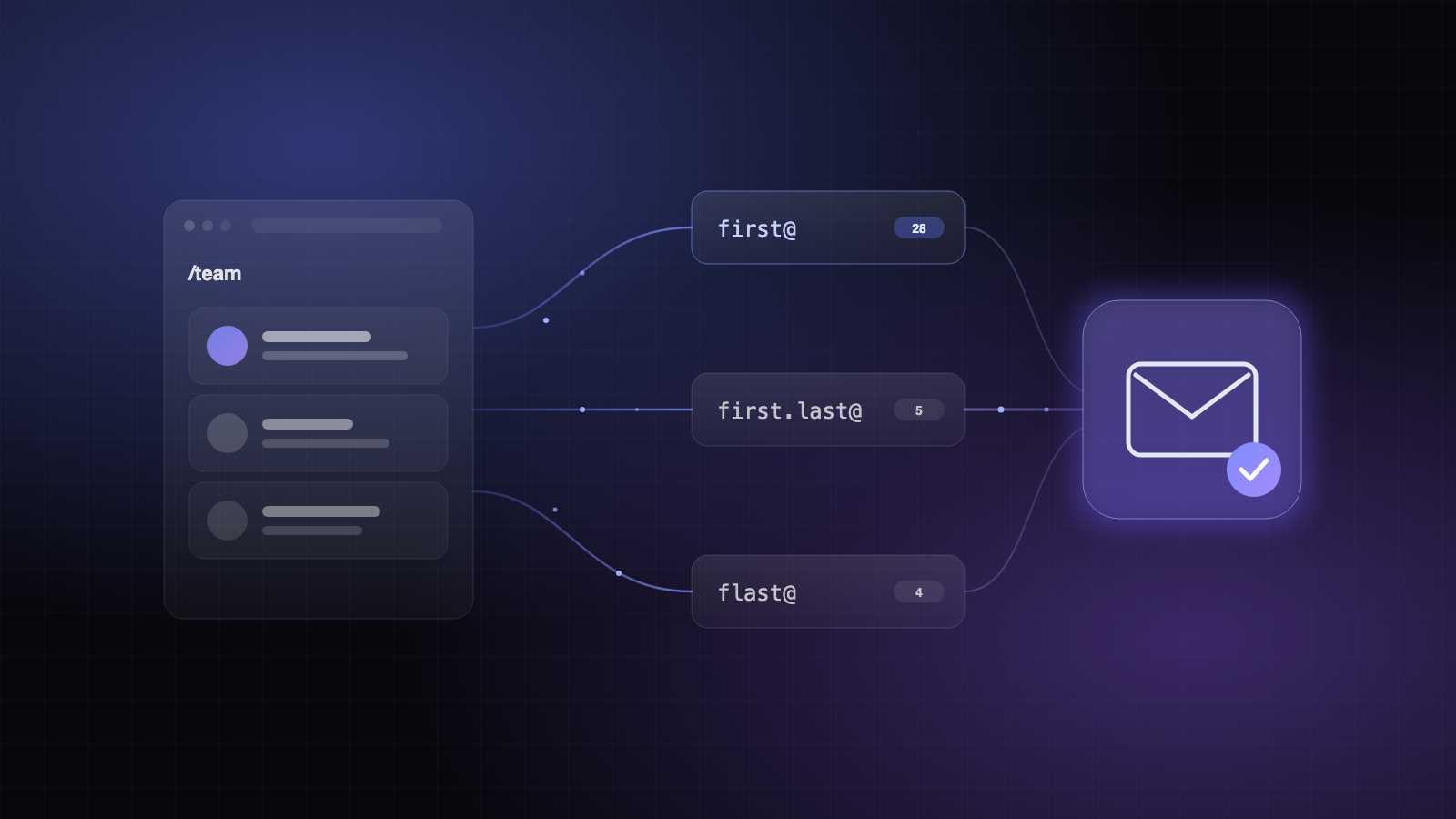
| Pattern | Verified on (of 41 domains) |
|---|---|
| {first}@company.com | 28 |
| {first}.{last}@company.com | 5 |
| {f}{last}@company.com | 4 |
| {first}{l}@company.com | 2 |
The table is from our pilot of 62 decision makers at US small businesses. It is a starting order for guesses, not a rule: the first address you prove at a company fixes the pattern for everyone else there.
Step 3: Verify every guess before you use it
A verification service asks the company’s mail server whether it would accept a message for the address, then hangs up before sending anything. The answer is one of four: the mailbox exists, it does not, the domain accepts any address (catch-all), or the server will not say.
- Check guesses most likely first and stop at the first one that exists.
- Remember the guesses that failed, so you never pay to check them again.
- On a catch-all domain, stop guessing: verification cannot tell a real mailbox from a made-up one there.
Step 4: Use a paid finder only for the rest
Email finders take a name and a company domain (or a LinkedIn profile) and return an address they have verified. They are the right tool for catch-all domains and unusual schemes, and most charge only when they find something, so using them last keeps the cost low.
76%
Guess + verification
addresses proven without a finder
95%
+ one finder
for the people the guesses missed
97%
+ a second finder
diminishing returns
FAQ
- Is it legal to email people found this way?
- In the US, B2B cold email is allowed under CAN-SPAM when you identify yourself, use honest subject lines, include a postal address and an opt-out, and honor opt-outs. Other countries have stricter rules; check them before you send there.
- Why not send to unverified guesses and see what bounces?
- Because bounces are what mailbox providers use to judge you. A high bounce rate sends your next emails, including the ones to real people, to spam.